
Instagram font generator — fonts and templates for your bio and name
Type your name, pick a style that actually shows on Instagram, and copy a ready-made bio. Counters keep you under the 150-character bio and 30-character name limits.
In short: An Instagram font generator converts your text into Unicode styles that Instagram displays, such as 𝓜𝓲𝓪 𝓡𝓸𝓼𝓮 or 𝐌𝐢𝐚 𝐑𝐨𝐬𝐞. This one marks which of its 35 styles show on almost every phone, fills 10 bio templates with your styled name, counts characters against Instagram’s limits (bio 150, name 30) and suggests usernames that Instagram accepts.
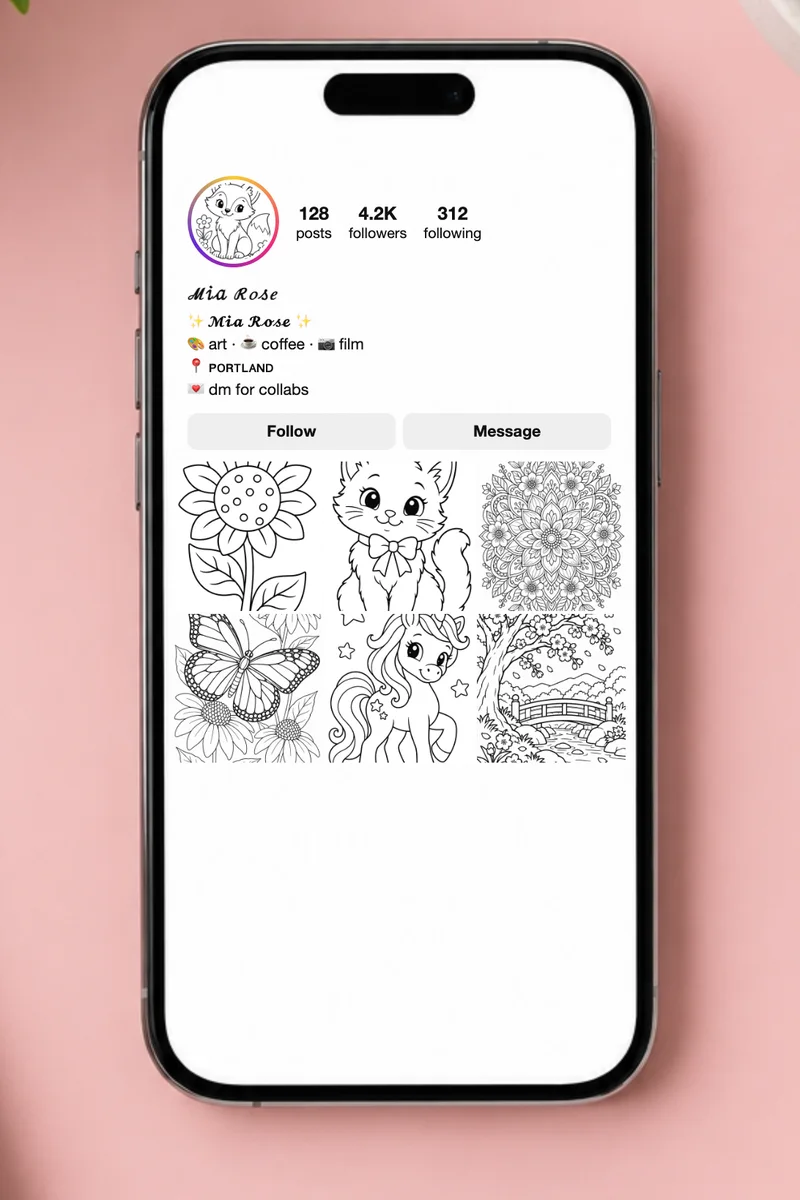
Instagram bio templates
- Sparkle
41/150 - Creator
52/150 - Aesthetic
44/150 - Student
58/150 - Small business
64/150 - Fitness
42/150 - Travel
60/150 - Bookish
70/150 - Minimal
17/150 - Music
51/150
Username ideas (username-safe)
Instagram usernames only allow a–z, 0–9, periods and underscores, so fancy letters are removed here.
- Username
- Username
- Username
- Username
- Username
- Username
Which styles show on Instagram?
- ✓ Cursive script
- ✓ Bold cursive
- ✓ Italic
- ✓ Bold italic
- ✓ Sans italic
- ✓ Sans bold italic
- ✓ Gothic (fraktur)
- ✓ Bold gothic
- ✓ Bold serif
- ✓ Bold sans
- ✓ Sans serif
- ✓ Double-struck (outline)
- ✓ Typewriter (monospace)
- ✓ Bubble (circled)
- ~ Black bubble
- ~ Squares
- ~ Black squares
- ✓ Wide (vaporwave)
- ~ Small caps
- ~ Tiny (superscript)
- ~ Upside down
- ~ Strikethrough
- ~ Underline
- ! Double underline
- ~ Slashed
- ! Crossed above
- ! Glitch
- ✓ Faux Cyrillic
- ~ Currency
- ✓ Greek-ish
- ~ Thai-ish
- ! Ethiopic-ish
- ~ Kana-ish
- ~ Hooks
- ~ Dotted
✓ Shows on almost every phone · ~ Shows on most phones; older Android may show boxes · ! Often trimmed or shown as boxes — test first
All 35 styles
- Cursive script
- Bold cursive
- Italic
- Bold italic
- Sans italic
- Sans bold italic
- Greek-ish
- Hooks
- Bold gothic
- Bold serif
- Bold sans
- Double-struck (outline)
- Black bubble
- Black squares
- Gothic (fraktur)
- Sans serif
- Typewriter (monospace)
- Small caps
- Bubble (circled)
- Squares
- Wide (vaporwave)
- Tiny (superscript)
- Upside down
- Strikethrough
- Underline
- Double underline
- Slashed
- Crossed above
- Glitch
- Faux Cyrillic
- Currency
- Thai-ish
- Ethiopic-ish
- Kana-ish
- Dotted
How do you change the font in your Instagram bio?
Instagram has no font menu, but it shows special Unicode characters. Type your name above, choose a style in “Style for your name”, and copy one of the bio templates, or copy any single style from the list. Then open Instagram, tap Edit profile, and paste into Bio or Name. The safest styles are script, bold, italic, sans, double-struck, gothic and bubble letters; they show on almost every phone. Styles marked ~ or ! use rarer characters and can appear as boxes on older Android phones. Usernames are different: Instagram only allows a–z, 0–9, periods and underscores there, so fancy fonts cannot be used; the username ideas section gives you versions that work.
- Bio limit 150 characters, name limit 30, username 30
- Usernames: only a–z, 0–9, period and underscore
- Every style is marked ✓ safe, ~ mostly or ! risky
How to put a custom font in your Instagram bio
Type your name or a line
Enter what you want to show in your name or bio.
Pick a safe style
Styles marked ✓ show on almost every phone; ~ and ! may show boxes for some followers.
Copy a bio template
Each template already contains your styled name and stays under 150 characters.
Paste in Instagram
Edit profile → Bio (or Name) → paste → Done.
Where fancy fonts work on Instagram
| Field | Fancy fonts? | Limit |
|---|---|---|
| Bio | Yes | 150 characters (fancy letters count as one each; marks and emoji can count as more) |
| Name (display name) | Yes, but people searching for you type plain letters | 30 characters |
| Username (@handle) | No — only a–z, 0–9, period and underscore | 30 characters |
| Captions and comments | Yes | 2,200 characters per caption |
| Story text and highlights | Mostly; Instagram’s story fonts are separate | — |
Keep your real name in plain letters somewhere (the name field or the first bio line) so people who search for you can find you.
Why some fonts show as boxes
Instagram does not ship special fonts; it uses the fonts on each viewer’s phone. Mathematical letters (script, bold, italic, gothic, double-struck) and circled letters are in almost every phone font today. Look-alike alphabets, stacked marks and some squares are missing on older Android phones and show as empty boxes (□). If a friend sees boxes, switch to a ✓ style.
Can you print Instagram fonts?
This page is for copy-paste text, so it has no print section. For lettering on paper, the cursive and gothic font generators print your words as tracing sheets or outline letters to color.
Where can you paste fancy fonts?
These are not real fonts. Each letter is swapped for a Unicode character that already looks styled, so the result is plain text that pastes into almost any app. Whether a style shows up depends on the fonts installed on the phone or computer that reads it:
| Place | What usually works |
|---|---|
| Instagram bio, captions, comments | Most styles. Names allow them too, but they are harder to search for |
| TikTok bio and captions | Most styles; the username field accepts plain letters only |
| Discord messages, nicknames, server names | Most styles; combining lines (strikethrough, underline) can stack oddly |
| X, Facebook, Threads, YouTube comments | Most styles |
| Text messages and email | Depends on the receiving phone; older Android phones may show boxes |
| Usernames, passwords, school portals | Usually blocked or turned back into plain letters |
If a friend sees empty boxes (□) or question marks, their device has no glyph for that character. Script, bold, italic, gothic and bubble styles are the safest; look-alike “weird” styles and stacked marks are the most likely to break.
Use fancy text kindly
Screen readers read many of these characters one by one (“mathematical bold script capital H…”) or skip them, and search boxes rarely match them. Keep fancy text for a name, a heading or a few words, and write the important part (dates, links, how to reach you) in plain letters.
Frequently asked questions
What font is safe for an Instagram bio?
Script (𝓼𝓬𝓻𝓲𝓹𝓽), bold (𝐛𝐨𝐥𝐝), italic, sans, double-struck and bubble (ⓑⓤⓑⓑⓛⓔ) styles show on almost every phone. They are marked ✓ on this page.
Can I use a fancy font in my Instagram username?
No. Instagram usernames accept only lowercase letters, numbers, periods and underscores. Use the username ideas on this page, and put the fancy version in your name or bio.
Does using fancy fonts hurt my reach on Instagram?
Fancy letters in your name can make you harder to find, because people search with plain letters. Keep your name plain or add it in plain letters in the first bio line, and use fancy text for decoration.
Why does my bio say it is too long?
Instagram counts characters, and some symbols and accents count as more than one. Use the counter next to each template; if it shows more than 150, remove an emoji or a line.
Why do some letters show up as boxes?
The app or phone reading your text has no font with that character. Your text is fine; it just cannot be drawn there. Pick a script, bold or bubble style, which almost every device supports.
Is this font generator free?
Yes. Every style, the copy button and the printable PDFs are free, with no sign-up and no watermark. The text is converted in your browser and is never sent to us.
Can I use it on my phone?
Yes. Type your text, tap Copy next to the style you like, then long-press in Instagram, TikTok or Discord and paste.