
Cross Stitch Pattern Maker: Draw Your Own Chart
A blank grid with real DMC colors: draw with the pencil, fill shapes, mirror both halves as you go, type a name in block letters, then print a symbol chart, color chart and floss list.
In short: Linecraft's cross stitch pattern maker is a free grid editor for designing your own counted cross stitch charts. Draw square by square in any of 454 DMC floss colors with a pencil, fill bucket, eraser and color picker; mirror drawing keeps both halves symmetric, and the letter tool adds 5 × 7 block text. Download a PDF with a symbol chart, color chart and floss list (with skein estimates) on Letter or A4. Designs up to 120 stitches wide and 30 colors are free.
Floss list
| Symbol | DMC | Name | Stitches | Skeins |
|---|---|---|---|---|
| + | 321 | Red | 68 | 1 |
Charts drawn here, and how they stitch up
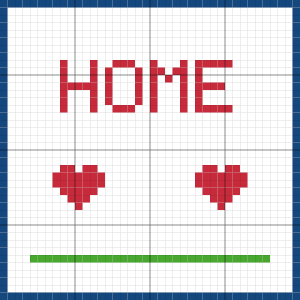
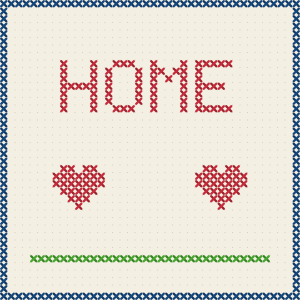
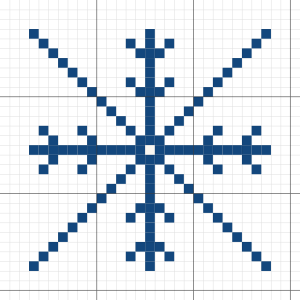
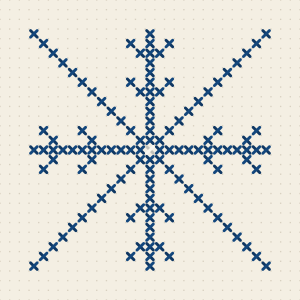
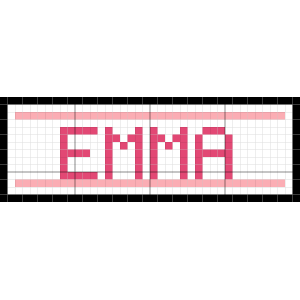
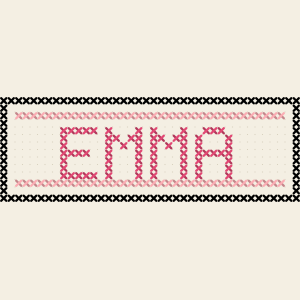
Have a photo instead? The photo to cross stitch pattern converter makes the chart for you with crop, dithering and backstitch outlines.
How do you make your own cross stitch pattern?
Decide the size first: count = squares per inch, so a 40 × 40 design is about 2.9 inches on 14-count Aida. Choose a small palette of DMC colors, then draw the outline with the pencil and fill the shapes with the bucket. Turn on mirror drawing for hearts, snowflakes and borders, so one half draws the other. Add names, dates or words with the letter tool. When it looks right, switch to the symbol view to check that every color has a clear symbol, then download the PDF: a cover, the symbol chart with bold lines every 10 stitches and center marks, a color chart, and a floss list with stitch counts and skein estimates. To start from a picture instead, use the photo to cross stitch converter, then fine-tune the result here.
- Free: up to 120 stitches wide and 30 colors, PDF with a small site footer
- Pro export: 1 credit, up to 300 wide and 60 colors, no footer
- Tools: pencil, fill, eraser, color picker, 4 mirror modes, block letters, undo/redo
- Fabric: 11, 14, 16 or 18 count with finished size shown live
How to design a cross stitch pattern
Set the grid size
Type the width and height in stitches and pick your fabric count; the finished size updates as you type.
Choose DMC colors
Start with the default palette or add any of the 454 DMC colors from the list.
Draw, fill and mirror
Draw with the pencil, fill areas with the bucket, and turn on mirror mode for symmetric motifs.
Add letters
Type a name or word and it is stamped in 5 × 7 block letters in the current color.
Print the chart
Download the PDF chart and floss list on Letter or A4, or a PNG to share.
Draw your own vs. convert a photo
Hand-drawn charts are best for samplers, names, borders, small motifs and anything with flat colors and crisp edges, where every square is a decision. Photos need an automatic converter: use the photo to cross stitch pattern maker for pets, portraits and landscapes, then bring a simplified version here (Import a photo) to clean up stray stitches by hand.
Grid size and fabric count
Count means stitches per inch, so finished size = stitches ÷ count. On 14-count Aida, 40 stitches is 2.9 inches, 70 stitches is 5 inches, 140 stitches is 10 inches. Leave 3 inches of fabric on every side for a hoop or frame. A name sampler is usually 60 to 100 stitches wide; a bookmark around 25 × 80.
Tools for cleaner charts
- Mirror left ↔ right for hearts, faces and vases; 4-way for snowflakes, mandalas and corner motifs.
- Fill replaces one connected area of the same color, so outline first, then fill.
- Pick color (I) grabs a color from the chart; Ctrl/⌘ + Z undoes, Shift + Ctrl/⌘ + Z redoes.
- Block letters are 5 stitches wide and 7 tall with 1 stitch between letters, the classic sampler alphabet.
- Keep isolated single stitches ("confetti") to a minimum: they take as long as a full block.
Printing the chart
The PDF matches the photo maker: a cover with the preview, symbol chart pages of up to 60 × 80 stitches with the last 2 rows and columns repeated as overlap, center triangles, a color chart, and the DMC floss list with stitch counts and skeins (one 8 m skein covers about 1,600 stitches on 14-count with 2 strands).
Frequently asked questions
Is this cross stitch pattern maker free?
Yes. Charts up to 120 stitches wide and 30 colors are free with a small footer. A pro export (1 credit) removes the footer and allows 300 wide and 60 colors.
Can I turn a photo into a pattern here?
Yes, Import a photo converts it at the current grid width with up to 14 DMC colors so you can edit it by hand. For crop, dithering and backstitch outlines use the photo to cross stitch pattern maker.
Which floss brand does it use?
DMC six-strand embroidery floss, all 454 standard colors, with numbers and names on the floss list.
Can I save my design?
Download the PNG or PDF. The editor itself lives in your browser tab, so download before closing it.
How do I make a symmetrical design?
Pick Left ↔ right, Top ↕ bottom or 4-way under Mirror drawing; every square you draw is copied to the mirrored side.